System administrators
Administrators have access to the management console. Their accounts are different from the accounts of mobile device users.
Creating access
- Open “Administrators → Invite administrator”.
- Enter the first name, last name, and Email.
- Select a role from the available options: Admin, Helpdesk, or Auditor.
- Review the displayed permissions and save the record.
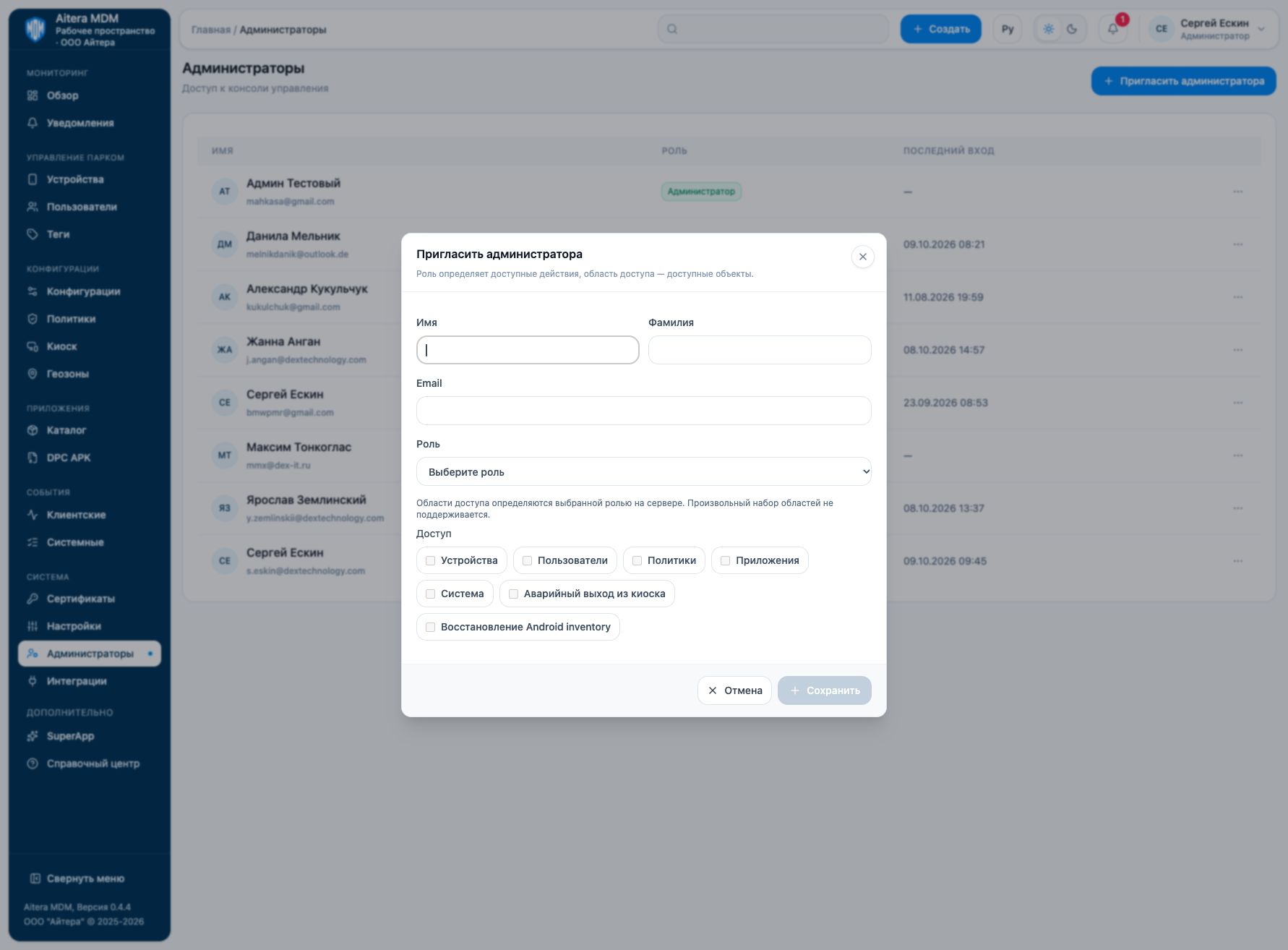
The role defines the actions; the access scope defines the available objects. In the current form, the scopes are determined by the role selected on the server; an arbitrary set of scopes is not supported.
Select the minimum role required for the employee’s task. After changing access, check the available actions under the corresponding account and the entry in the system log.
Saving a record in the console is not proof that the invitation was delivered by email.
Last updated