Getting started with SuperApp
The “SuperApp” section sets the addresses that the client uses to connect to MDM and Microsoft Exchange.
First install the client from the store: links to Aitera SuperApp for Android and iOS.
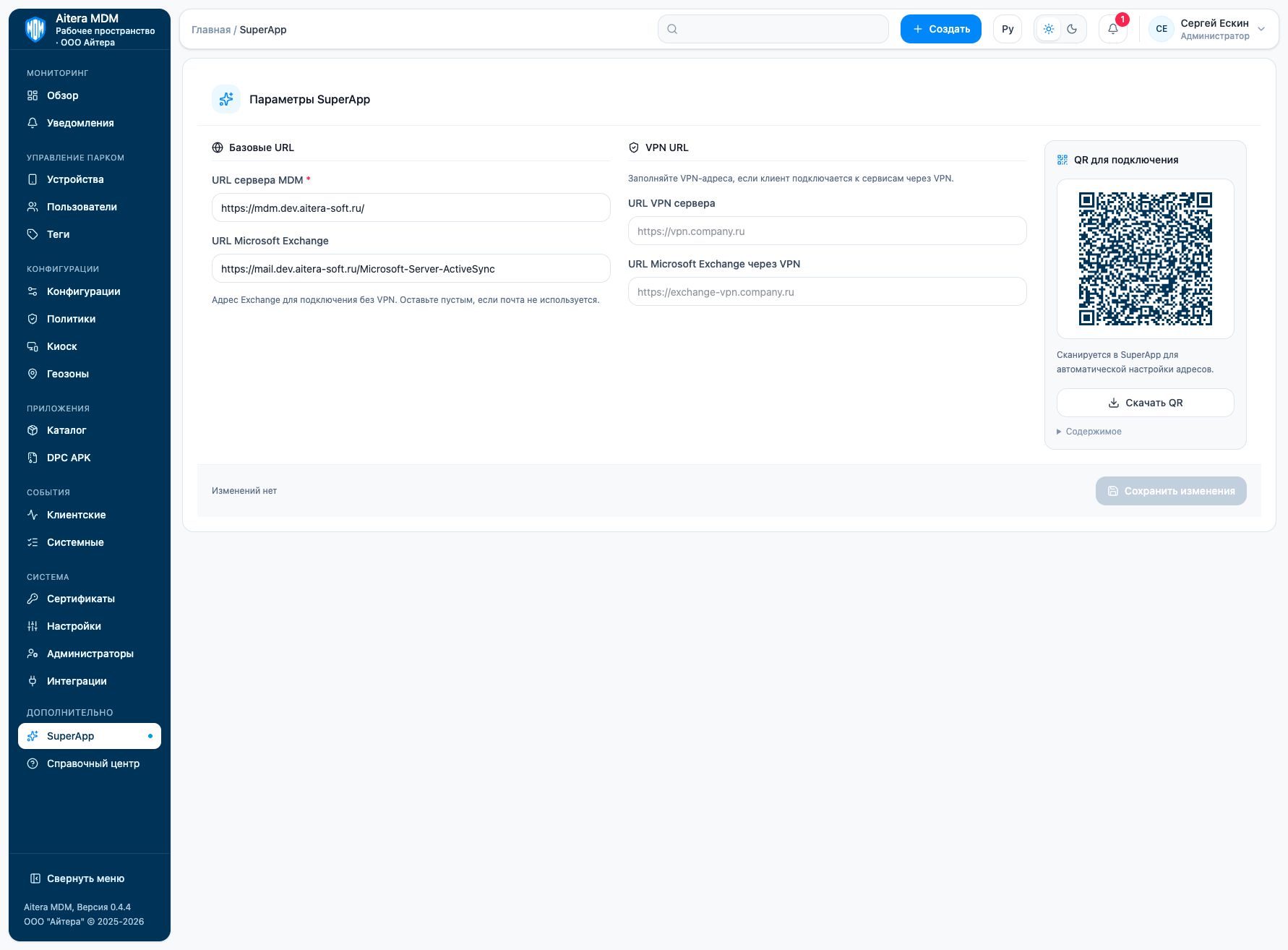
Configuring addresses
- Enter the MDM server URL — a required field.
- Enter the Microsoft Exchange URL if mail is used without VPN.
- When connecting through VPN, fill in the corresponding VPN URLs.
- Save the changes.
- Use the QR to pass the addresses to SuperApp and check the client connection.
Exchange can be left empty if mail is not used. The QR in this section configures the client addresses; do not confuse it with the device registration QR from the “Add device” wizard.
Saving the URLs does not confirm that mail or VPN is reachable from the device. Check the actual SuperApp connection on the required network.
Last updated