Integrations
Integrations
This section contains 12 connection types. Select a service to open the preparation, field reference, limitations, result verification and error troubleshooting.
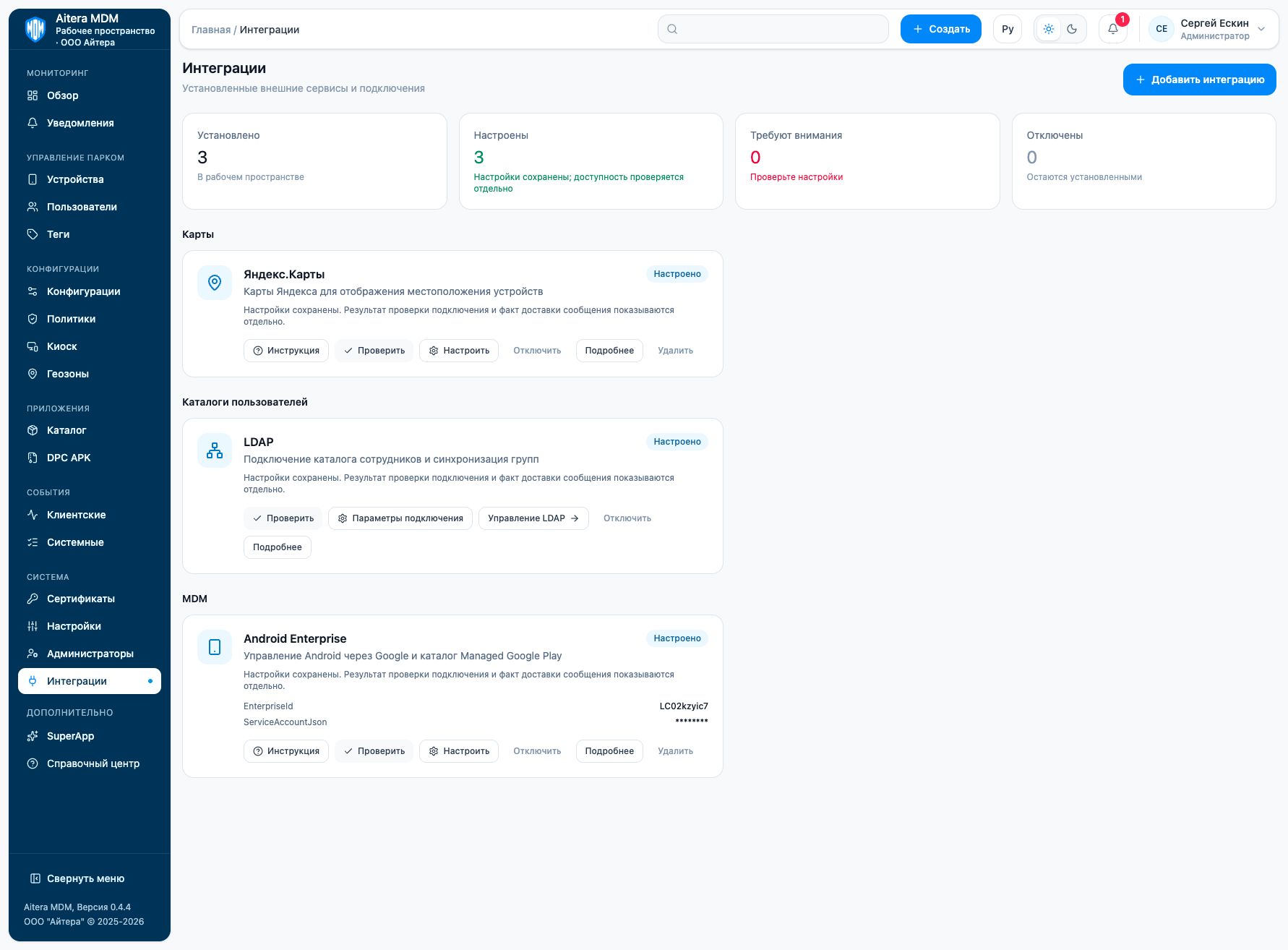
Connection catalog
| Group | Connection | Purpose |
|---|---|---|
| Maps | Google Maps | Maps and geocoding of device locations. The integration displays the received coordinates; coordinate collection on the device is configured separately. |
| Maps | Yandex Maps | Fleet map and address handling through Yandex Maps. Server-side geocoding and the browser map use different keys. |
| Communications | SMTP Server | System emails through your organization’s SMTP. SMTP does not replace push delivery of MDM commands. |
| Communications | Telegram | Notifications to administrators through a Telegram bot. The recipient is selected by chat ID. |
| Communications | MAX | Delivery of notifications through a MAX bot to a selected chat or user. |
| Communications | Slack | Notifications to a Slack channel on behalf of the installed app with a bot user. |
| Communications | Webhook | Sending MDM events to a receiving system. Before connecting, agree the event format and authentication with the recipient’s owner. |
| MDM | Android Enterprise | Connecting the organization to Google Android Enterprise / Android Management API and Managed Google Play. This is a separate management channel that should be distinguished from the Aitera DPC. |
| MDM | RuStore | Access to the Android app card in RuStore and the push project parameters. In the current version, saving this form by itself does not switch the active server push channel. |
| Directories | LDAP | Import of users and groups from the corporate directory. The connection, branch selection and schedule are configured on a separate LDAP page. |
| MDM | Apple Push (APNs) | MDM push certificate for delivering management signals to iOS/iPadOS devices. An MDM push certificate is required; the app’s APNs .p8 token does not replace it. |
| MDM | Apple Business Manager | Connection to Apple Business Manager for Automated Device Enrollment (ADE) of corporate devices. ABM and APNs perform different tasks; both corresponding connections are required to manage Apple devices. |
What the states mean
| State | What it confirms | What it does not yet confirm |
|---|---|---|
| Installed | The type has been added to the workspace | The settings and the availability of the service |
| Configured | The parameters have been saved | Connection check and the target operation |
| Check passed | Availability within the scope of the specific check | Delivery of a message or command, or import of all objects |
| Disabled | The connection is saved but turned off | Deletion of the parameters or revocation of the key at the provider |
After changing the parameters, repeat the check, then verify the target operation using the service article. Disabling and deleting are separate actions. Deleting an integration in MDM should not be considered revocation of the key at the external provider.
Last updated