Issuing a client certificate
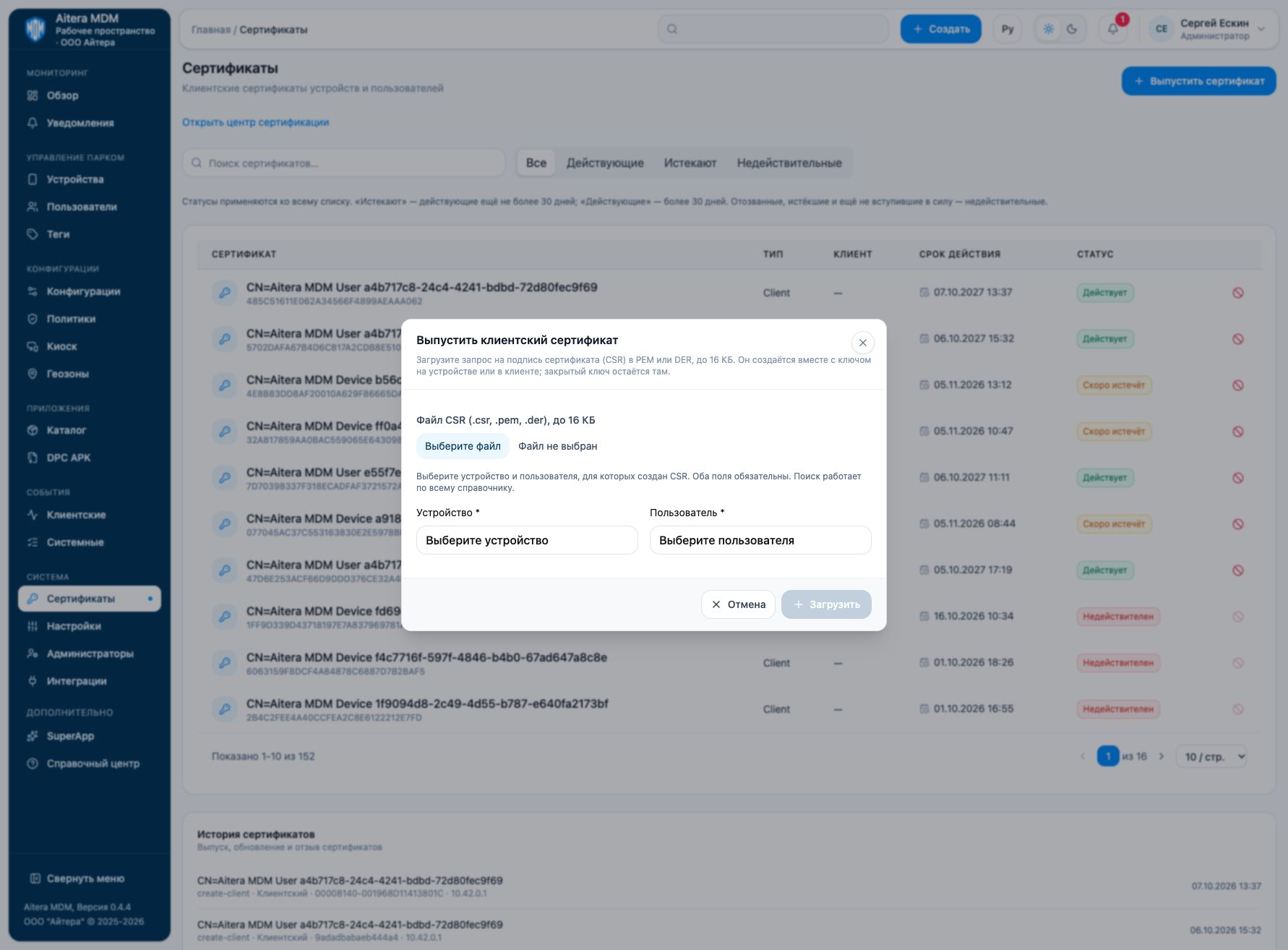
- Prepare a CSR on the device or in the client. The private key stays there.
- Click “Issue certificate”.
- Select the CSR in PEM or DER format: supported extensions are .csr, .pem, .der; size up to 16 KB.
- Select a device and a user — both fields are required.
- Upload the request and check the issuance result.
Do not upload a private key or a ready-made certificate instead of a CSR. To pass the certificate to its recipient, use the intended assignment or delivery and check the result.
Related instructions
Last updated