Apple Push (APNs)
MDM push certificate for delivering management signals to iOS/iPadOS devices. An MDM push certificate is required; the app’s APNs .p8 token does not replace it.
Open Integrations → Add integration → Apple Push (APNs). For a connection that is already installed, use Configure.
Preparation
- Prepare an MDM push certificate through the Apple Push Certificates Portal following the process of your MDM organization.
- Export the certificate together with the private key into a protected P12 and set an export password.
- Upload the P12 and the password, save the settings and run the connection check. The check confirms the certificate and the TLS connection; check delivery to a specific device with a separate command.
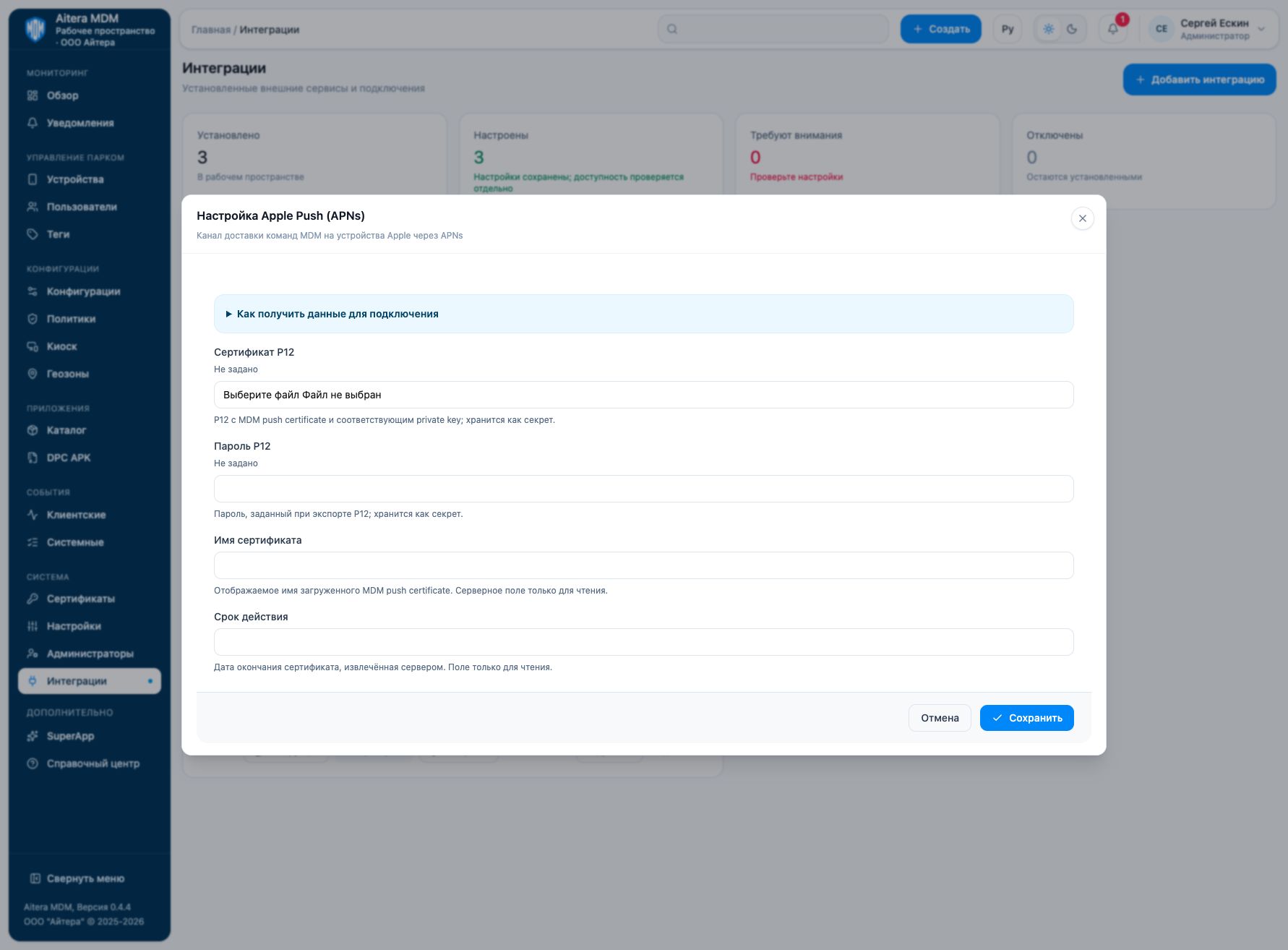
Parameters
| Field | Kind | Purpose and filling rules |
|---|---|---|
| Certificate name | Metadata | Displayed name of the certificate. |
| Expiration date | Metadata | Certificate expiration date. Compare it with the original certificate; entering the date manually does not renew the certificate. |
| Active devices | Read-only | Number of devices associated with the certificate according to the server. The field is read-only. |
| P12 certificate | Secret | P12 with the MDM push certificate and the corresponding private key; stored as a secret. |
| P12 password | Secret | Password set when exporting the P12; stored as a secret. |
Saving and changing
Fill in the parameters and click “Save”. When the form is reopened, secrets are not shown: the secret presence indicator is not its value. An empty field for an existing secret keeps the previous value; a new value replaces it. After changing, check the connection again.
The Apple Push (APNs) type is available in the full integration catalog.
Verifying the result
- Prepare a .p12 with the MDM push certificate and the corresponding private key, as well as the export password.
- After uploading, check the expiration date and the connection check result.
- Separately confirm delivery of a permitted command to a test Apple device in client events.
The “Configured” status means saved settings. Evaluate the connection check result and the target operation result separately. Check details are available in the connection card.
Limitations and dependencies
A TLS connection check with APNs does not prove the MDM topic is correct or that delivery to a specific device works. When renewing, preserve the certificate identity. The number of associated devices is a server indicator; it is not a guarantee that each device is reachable.
Troubleshooting
| Symptom | What to check |
|---|---|
| P12 cannot be read | Check the export password and that the certificate is present together with its private key. |
| Connection passes, commands do not arrive | Check the MDM topic, the link between the certificate and the device enrollment, and the device state. |
| Certificate expired | Renew the original MDM certificate through the agreed process; arbitrary replacement may break the link with registered devices. |