Android DPC releases
The “DPC APK” section manages the versions of the Aitera corporate Android agent. It contains the “Releases” and “Rollouts” tabs.
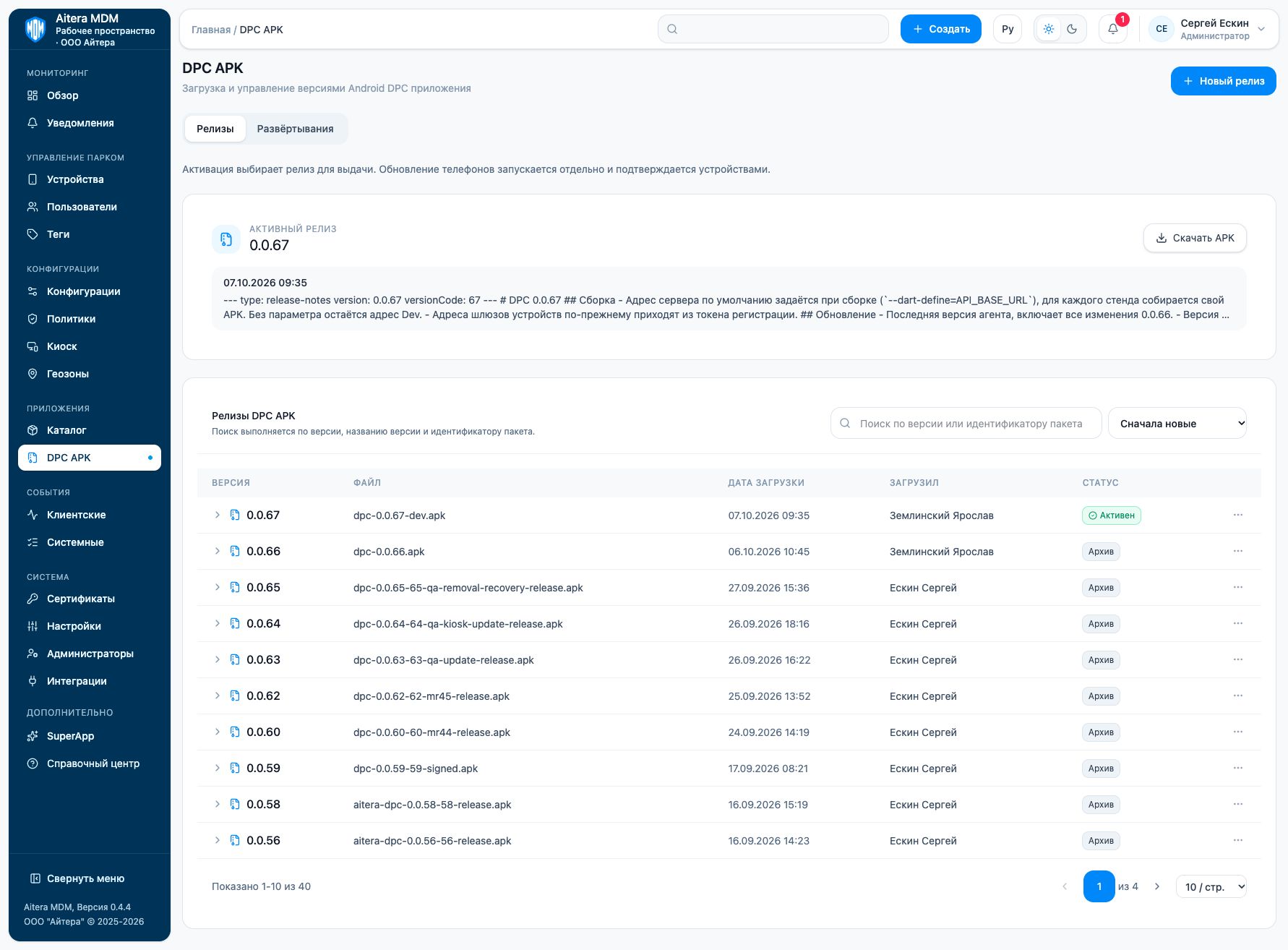
Uploading a release
- Click “New release”.
- Select an APK: the form accepts .apk files up to 100 MB.
- Fill in the version changes.
- If needed, check “Activate after upload”.
- Upload the file and check the created entry.
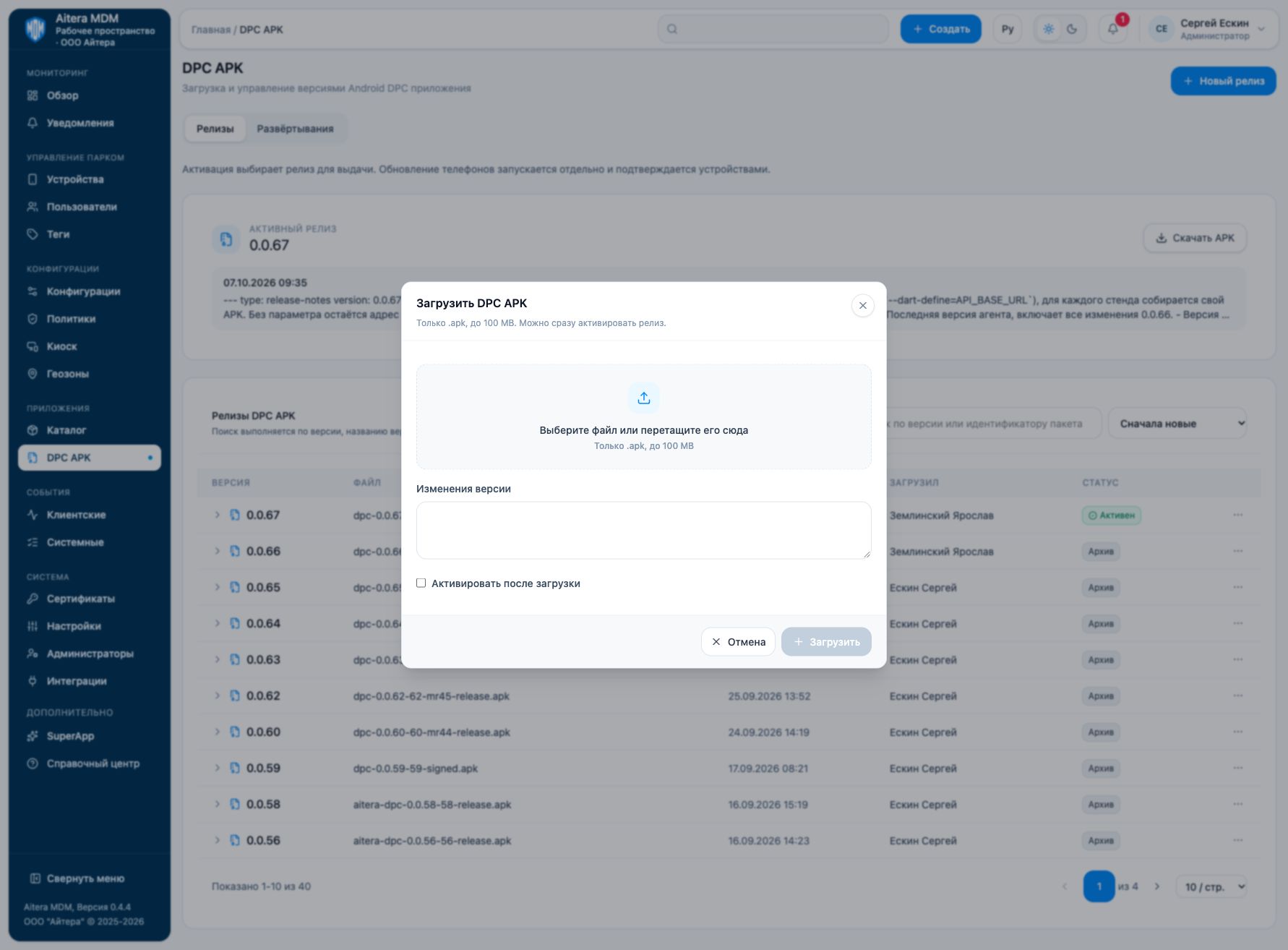
Make sure the build is intended for the right server and is signature-compatible with the agent that is already installed. The version in the illustration is an example of the state of the environment at the time of the screenshot, not a recommendation to keep using that particular version.
Activation and update
Activation selects the release to be distributed. Updating phones is started separately and is confirmed by the devices. Do not treat “Active” as proof that the new version is installed across the whole fleet.
Check the rollout, the actual agent version and the device’s client events. Google Android Enterprise and the corporate DPC use different channels; updating this APK does not replace the Google integration settings.